Windows 7 Blue Edition
| Crusty Windows bootleg | |
 The desktop of Windows 7 Blue Edition | |
| Original OS | Windows 7 SP1 |
|---|---|
| Release date | September 30, 2013 |
| Author | DiLShad Sys |
| Country | India |
| Language(s) | English |
| Architecture(s) | x86 (32-bit) |
| File size | 1.2 GiB |
| Download link | Windows 7 Blue Edition 2013 x86 2013 Software.iso |
| Date added | July 21, 2023 |
Windows 7 Blue Edition (also known as Windows 7 Blue Edition 2013, Windows 7 Blue Edition 2013 x86 2013 Software or Windows Blue Edition) is a bootleg Windows 7 SP1 version made by DiLShad Sys. It was released on September 30. 2013 and added to the archive on July 21, 2023.
Description
This bootleg is a modified Windows 7 Ultimate SP1 ISO. It makes the OS way more "blue" and adds a lot of software using a WPI.
It comes with its own autorun as well.
Changes from Windows 7 SP1
Minor changes
- OEM branding is included
- Several new context menu options have been added. Also some "stock" ones like personalization have been replaced with direct links to change the theme, wallpaper etc...
- Shortcuts to Power Options, Run and Search have been added in the Windows Explorer.
Changes in pre-desktop procedures
- New setup graphics: the setup window is now transparent, the background was changed and the OS logo was completely removed.
- New pre-OOBE graphics
- New OOBE graphics
- New login graphics
Look and feel
- 10 new themes have been added
- 4 new wallpapers have been added
- New Start button
- New Windows Explorer icon
- New branding
Software
- Microsoft Silverlight
- UltraISO Premium 9.3 (cracked, blank registration name)
Software on the CD
Antivirus
- USB Disk Security 6.1.0.432 Silent
- Disk Security 6.2.0.18 Silent
- Malwarebytes Anti-malware 1.75.0.1300
Internet
- Mozilla Firefox 25.0 x86 en-US Beta 3
- FileZilla Client 3.7.3
- Internet Download Manager 6.11 (cracked, registered to Best Site WWW.SOFTPIR.COM, not in the Start menu folder)
- Google Talk
- Opera Stable 16.0
- Skype 6.7
- uTorrent 3.3.2 RC3
- Yahoo! Messenger
Multimedia
- K-Lite Codec Pack 10.0.5 Full
- VLC Media Player 21.0
Office Utilities
- Foxit Reader
- Notepad++
System Utilities
- 7-Zip 9.22 Beta
- Visual C++ AiO
- CCleaner 4.06.4324 Buisness (installed to 'C:\Program Files\NOBY.OCOZ.RU\CCleaner', not in the Start Menu folder)
- Daemon Tools Pro Advanced
- DirectX 32-bit
- Adobe Flash Player 11 Plugin
- Adobe Shockware Player 11.5
- Java 7 Update 4
- Microsoft .NET Framework 4
- USB Safely Remove 5.1
- WinRAR (cracked, registered to vista 7 user)
- Glary Utilities Pro 2.46.0.1518
- TuneUp Utilities
Notes
Bootleg quirks
- Most installers in the WPI are not silent.
- The OOBE uses the Classic theme by default. The same goes for the desktop without Aero enabled. This is due to the basic theme being disabled by default.
CD contents and other info
- The autorun plays music.
Gallery
-
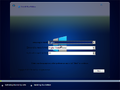
Setup
-
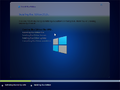
Setup (phase 2)
-
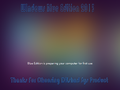
Pre-OOBE
-

OOBE
-
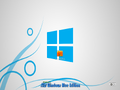
Login screen
-
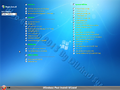
WPI
-
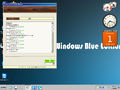
WPI while it's installing programs
-
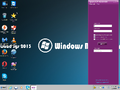
Desktop (non-aero)
-
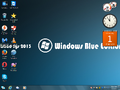
Desktop
-
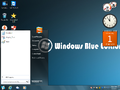
Start Menu
-
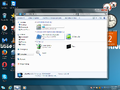
File Explorer
-
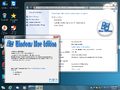
Demo
-
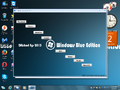
Autorun


Themes
-
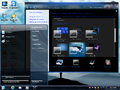
"Blue Sky" theme
-
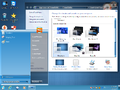
"Bluedream" theme
-
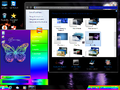
"Bluefly" theme
-
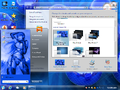
"Blue Sphere" theme
-
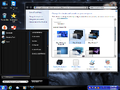
"Blue Ultimate" theme
-
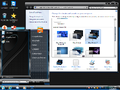
"Blue Win7" theme
-
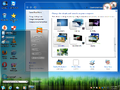
"Gold Glass" theme
-
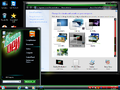
"Mountain Dew" theme
-
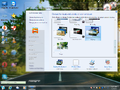
"myway" theme
-
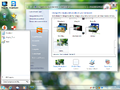
"somye" theme


