Windows 7 SuperNano
| Crusty Windows bootleg | |
 The desktop of Windows 7 SuperNano | |
| Original OS | Windows 7 SP1 |
|---|---|
| Release date | April 2, 2019 |
| Author | ? |
| Country | Russia |
| Language(s) | Russian |
| Architecture(s) | x86 (32-bit) |
| File size | 332.4 MiB |
| Download link | Windows 7 (SuperNano).iso |
| Date added | August 6, 2022 |
Windows 7 SuperNano is a bootleg Windows 7 SP1 edition, which was created by an unknown author. It released on April 2, 2019, and was added to the archive on August 6, 2022.
Description
The bootleg is a stripped down Windows 7 SP1 ISO. It adds some drivers including the default USB webcam driver, and changes the setup's look. It is preactivated.
Changes from Windows 7 SP1
Minor changes
- The taskbar now uses Small Icons
Changes in pre-desktop procedures
- The setup and OS now boots in the Windows Vista style by default
- New setup graphics. Everything has been made flat, with grey and dark colors. However, it is partial, not all of the setup has this look. The OS banner is removed
- The pre-OOBE segment is rendered in text mode
Look and feel
- New dark icons in various places
Software
Drivers
- Red Hat VirtIO Ethernet Adapter
Notes
Bootleg quirks
- Despite the OS being in Russian, the time zone is set to UTC−08:00.
- There is an online Chrome installer on the desktop.
CD contents and other info
- The CD label is set to "GRMCPRVOL_RU_DVD".
Gallery
-
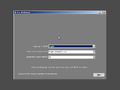
Setup
-
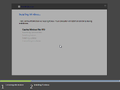
Setup while it's copying files
-

Pre-OOBE
-
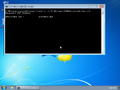
Desktop on first boot
-
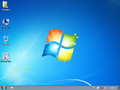
Empty desktop
-
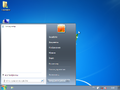
Start menu
-
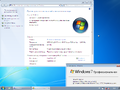
System Properties and About Windows


