Windows CEMeNT 6.0
 | Windows CEMeNT 6.0 is partially missing. There were other versions of Windows CEMeNT released before this one. Betas for "5.0" are also known to exist, but they haven't been added to the archive yet. If you are in possession of this ISO, please send an email to staff  computernewb.com or join our Discord so we can add it to our collection. computernewb.com or join our Discord so we can add it to our collection. |
| Crusty Windows bootleg | |
 The desktop of Windows CEMeNT 6.0 | |
| Original OS | Windows XP SP3 |
|---|---|
| Release date | May 2015 |
| Author | an65001 |
| Country | United States |
| Language(s) | English |
| Architecture(s) | x86 (32-bit) |
| File size | 2.1 GiB |
| Download link | Windows_CEMeNT_6.0_En-US.iso |
| Date added | December 12, 2021 |
| Live CD | No |
Windows CEMeNT 6.0 is a bootleg Windows XP SP3 edition, which was created by an65001. It released in May 2015, and was added to the archive on December 12, 2021. Unlike its predecessors, it is based on Windows XP instead of Windows 2000.
Description
The bootleg is a modified Windows XP SP3 distribution, which is packaged in the EaseUS Todo Recovery format, which has to be restored through the included Windows 7 PE containing the EaseUS Todo Recovery utility which is on the CD itself.
The bootleg mostly presents itself with a skeuomorphic dark theme and aims to be identical to Windows 7 in look and feel, from small tidbits using Segoe UI as a font down to faking DWM by camouflaging Glass2k, a customization tool which is included with the OS. It comes with many useful programs and customization utilities.
Changes from Windows XP SP3
Changes in pre-desktop procedures
- New Windows 10-style boot screen
- New login screen graphics
Look and feel
- New default theme, and wallpaper
- 3 new themes added
- 2 new cursor sets, Obsidian and Windows 8
- New icon set
- New sound scheme
Software
- 7-Zip 9.20
- BleachBit 1.6
- Butterfly Messenger
- CCleaner
- K-Lite Codec Pack
- Mozilla Firefox 31.7.0 ESR
- Mozilla Thunderbird 31.6.0
- Transmission-Qt 2.84
- Virtual PC 2007 SP1
- Windows Search 4.0
- XPS Viewer
Customization Utilities
- AeroSnap 0.61
- Glass2K 0.9.2 (rebranded as "DWM")
- LClock v1.62b
- QTTabBar 1.5.0.0 Beta 2
- Rainmeter 3.1.0 r2290
- TweakUI
- UberIcon
- VistaDriveIcon
- WinFlip
Updates
- MSXML 6.0
- Microsoft .NET Framework 2.0 SP2, 3.0 SP2, 3.5 SP1
- Microsoft Plus! 98
- Microsoft Plus! for Windows XP
- Microsoft Visual C++ Redistributable 2008
- Windows Media Format 11
Browser Extensions and Themes
Mozilla Firefox
- Adblock Edge 2.1.9
- Adblock Plus Pop-up Addon 0.9.2
- Classic Theme Restorer 1.3.2.1-signed
- Downloads Window 0.5.3
- Element Hiding Helper for Adblock Plus 1.3.2
- Old Addon Manager 0.1
- Status-4-Evar 2015.02.06.23
- Stylish 2.0.2
- Themes
- FT DeepDark 11beta16
- Stylish Userstyles
- DeepDark "About Home" for Firefox 2015-02
- FT DeepDark custom "about Firefox" popup
Mozilla Thunderbird
- Lightning 3.3.3
- Old Addon Manager 0.1
Notes
Remarks
- The name "Windows CEMeNT" likely refers to the meme image combining the names of Windows CE, Me, and NT.
Bootleg quirks
- The OS starts in 1280x1024 resolution by default.
- The included Virtual PC 2007 comes with a preconfigured Windows 95 VM for you to use.
- The system has been patched to work with 64GB of RAM.
Gallery
-

Boot screen
-

Login screen
-

Empty desktop
-
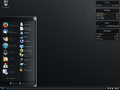
Start menu ("Windows CEMeNT" theme)
-
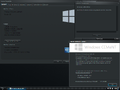
System Properties and About Windows


Themes
-
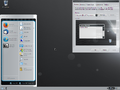
"Windows CEMeNT Alternative" theme
-
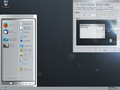
"Windows CEMeNT Light" theme
-
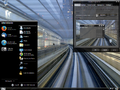
"Windows CEMeNT Zero" theme


