Windows Gamer NVIDIA Edition 2009
| Crusty Windows bootleg | |
 The desktop of Windows Gamer NVIDIA Edition 2009 | |
| Original OS | Windows Vista SP1 |
|---|---|
| Forked from | Windows Gamer ATI Edition 2009 |
| Release date | 2009 |
| Author | Benjamin Samson of Rockers International Team |
| Country | India |
| Language(s) | English |
| Architecture(s) | x86 (32-bit), x64 (64-bit) |
| File size | x86: 2.3 GiB x64: 3.2 GiB |
| Download link | WIN_GAMER_NVIDIA.iso WIN_GAMER_NVx64.iso |
| Date added | February 5, 2023 |
Windows Gamer NVIDIA Edition 2009 is a bootleg Windows Vista SP1 edition, which was created by Benjamin Samson of Rockers International Team. It released in 2009, and was added to the archive on February 5, 2023.
Description
The bootleg is a modified Windows Vista SP1 ISO which is similar to its predecessor Windows Gamer ATI Edition 2009. The only difference is that it's themed after NVIDIA instead of ATI.
Changes from Windows Vista SP1
- Nearly everything is exactly the same, except the differences as described in the description
Software
- Same goes for the included software
Gallery
-
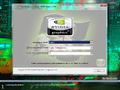
Setup
-
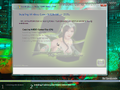
Setup while it's copying files
-
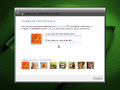
OOBE
-
OOBE video
-

Login screen
-

Empty desktop
-

Start menu
-
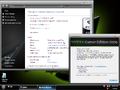
System Properties and About Windows
-
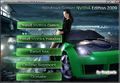
Autorun


