Windows Vista Genius
| Crusty Windows bootleg | |
 The desktop of Windows Vista Genius | |
| Original OS | Windows XP SP2 |
|---|---|
| Release date | February 10, 2008 |
| Author | Mohamed Mostafa Salama |
| Country | Egypt |
| Language(s) | English |
| Architecture(s) | x86 (32-bit) |
| File size | 693.9 MiB |
| Download link | VistaGenius.iso |
| Date added | April 6, 2024 |
Windows Vista Genius is a bootleg Windows XP SP2 edition, which was created by Mohamed Mostafa Salama. It released on February 10, 2008, and was added to the archive on April 6, 2024. It is the prequel to Windows XP Genius Edition 2010.
Description
The bootleg is a modified Windows XP SP2 ISO, with post-SP2 updates integrated. It is advertised in the bootleg as Service Pack 3, but it is actually just SP2.
It comes with a boot selector integrated. Through it, you can access Hiren's Boot CD and Active Password Changer.
It comes with its own autorun and WPI.
It is unattended and preactivated. The bootleg was made using nLite, the autorun was made with AutoPlay Media Studio 6.0.2.0 and the bootloader used was EasyBoot 5.0.
Changes from Windows XP SP2
Minor changes
- New support information is included.
- The run box has been completely changed. It now has a date selector, for some reason. It is also much slower than the stock run box.
Changes in pre-desktop procedures
- New setup graphics
- New boot graphics
- The login screen has been changed. It is designed to look like Vista, but does a bit of a poor job at it.
- Before booting to the desktop, a WPI will be run.
Look and feel
- A new theme has been added. Just one! It mimics Windows Vista, expected for the name of the bootleg.
Software
- Adobe Flash Player 9.0.47.0
- Anti-Porn 9.0.2.1
- Babylon 6.0.3
- CCleaner v1.40.520
- DFX 8 for Winamp
- DustBuster 2.9.5.1
- ESET NOD32 Antivirus 3.0.621.0 (cracked by TemDono)
- FastStone Image Viewer 3.2
- Foxit Reader 2.2 build 2129
- Imagehackert 0.5.1
- Internet Download Manager 5.12
- Java 6 Update 2
- Media Player Classic 6.4.9.0
- Nero 8
- jetAudio 7.0.3.3016 Basic
- .NET Framework 2.0
- Microsoft Text-to-Speech Engine 4.0
- PowerShell
- RealPlayer 11.0.0.372
- SuperCopier2 Beta 1.9
- Vista Codec Package
- Weather Clock 3.4
- Windows Live Messenger 8.5 BETA
- WinRAR 3.70 (cracked, registered to AYMAN HAMMAD)
- Winamp 5.52
- Yahoo! Messenger 8.1.0.413
nLite addons
Slipstreamed:
- Kel's CPL Bonus Pack 8.0.2
Notes
CD contents and other info
- The CD now specifies a custom icon on the CD root.
- There is a CD cover GIF on the CD root... with a twist?! Basically, it spins really fast. It's pretty funny.
WINNT.SIF metadata
- The full name and organization is set to "Mohamed Mostafa Salama" and "Microsoft".
- The computer name is set to "MASTER".
- The workgroup name is set to "Genius Group".
Gallery
-

Pre-boot selector
-
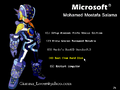
Boot selector
-
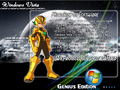
Setup in the graphical phase
-

Boot screen
-

Login screen
-
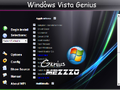
WPI
-
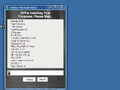
WPI while it's installing programs
-
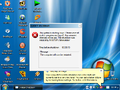
Desktop on first boot
-

Empty desktop
-
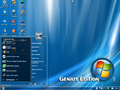
Start menu
-
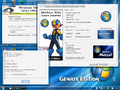
Demo


