NanoXP
| Crusty Windows bootleg | |
 The desktop of NanoXP | |
| Original OS | Windows XP RTM |
|---|---|
| Release date | September 9, 2022 |
| Author | Vichingo455 |
| Country | Italy |
| Language(s) | English |
| Architecture(s) | x86 (32-bit) |
| File size | 68.9 MiB |
| Download link | NanoXP.iso |
| Date added | December 6, 2022 |
NanoXP is a bootleg build of Windows XP RTM, which was created by Vichingo455. It was released on September 9, 2022 and added into the archive on December 6, 2022. It is the third smallest XP bootleg in the archive, behind PicoXP and TinyKRNL.
Description
The bootleg is an extremely stripped down version of Windows XP RTM, keeping only the absolute essentials for running the OS intact. As such, basically every program has been removed.
On first boot, the system creates a user named "NanoXP" and restarts. There's not much else to say other than that.
It is unattended and preactivated.
Changes from Windows XP RTM
Minor changes
- All programs aside from Explorer, Command Prompt, Notepad, and Regedit have been removed.
- Hidden files and folders, protected operating system files, and file extensions are shown by default
- Administrative Tools has been added to the start menu, while My Documents, My Pictures, and My Music has been hidden, giving it a similar feel to Windows Server 2003's start menu.
Changes in pre-desktop procedures
- The setup now resembles the classic "Windows 2000" style, and is unattended.
- The classic logon screen has been permanently enabled - as the "User Accounts" applet has been removed, there is no easy way of adding it back.
Gallery
Setup
-
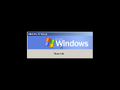
Pre-setup
-
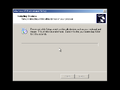
Setup in the graphical phase


Interface
-
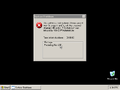
Desktop on first boot
-
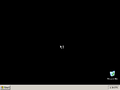
Empty desktop
-
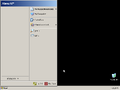
Start Menu
-
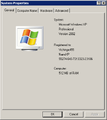
System Properties
-
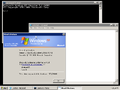
Demo


