Windows Challenger XP
 | This article or the contents of it may not meet the wiki standards. Theme screenshots do not have the Start menu opened when they should be. Also, the Demo screenshot does not have the windows snapped to the top left and bottom right. The snapping is also not present on the theme screenshots. You can help the CrustyWindows Wiki immensely by expanding, rewriting or removing this article. |
| Crusty Windows bootleg | |
 The desktop of Windows Challenger XP | |
| Original OS | Windows XP SP2 |
|---|---|
| Release date | November 11, 2010 |
| Author | Samaa Hassan of That's Me |
| Country | Egypt |
| Language(s) | English |
| Architecture(s) | x86 (32-bit) |
| File size | 652.1 MiB |
| Download link | Challenger_xp.iso |
| Date added | August 9, 2023 |
Windows Challenger XP is a bootleg Windows XP SP2 edition, which was created by Samaa Hassan of That's Me. It released on November 11, 2010, and was added to the archive on August 9, 2023.
Description
The bootleg is a modified Windows XP SP2 ISO. It comes with many themes and wallpapers, and programs. It comes with a RunOnceEx based program installer borrowed from Windows XP Cyrix Premium Edition. It comes with registry tweaks.
It is unattended and preactivated.
Changes from Windows XP SP2
Minor changes
- The graphical setup strings are changed
- OEM branding is included
Changes in pre-desktop procedures
- The setup now uses the Windows 2000 style. New pre-setup graphics
- New boot graphics
- New login graphics
Look and feel
- New default theme, wallpaper and icon set
- 10 new themes included, one is broken
- 39 new wallpapers included
- New avatar set. All of the default avatars have been removed
Software
- 7-Zip 9.07
- Adobe Flash Player 1.0 r32
- Alfa Autorun Killer 2.0
- CCleaner 4.16.0.0
- FairStars Audio Converter
- Foxit Reader
- Internet Download Manager 5.18
- Mozilla Firefox 3.5
- Power Mp3 Cutter 2.9
- Real Alternative 1.51
- SuperCopier 2
- USB Virus Remover
- UltraISO 2009
- uTorrent
- Winamp 5.08 (comes with 5 skins)
- Windows Live Messenger
- WinRAR 3.90 Plus
- Yahoo! Messenger 10
Customization Utilities
- Vista Drive Icon
- Visual Task Tips
Updates
- Microsoft .NET Framework 2.0
Notes
Remarks
- The screenshots for this bootleg were done by the Crusty Windows Wiki user yellows111.
Bootleg quirks
- 25 unused wallpapers can be found in the wallpapers' thumbnail cache. 2 wallpapers that exist in the final wallpaper set don't exist in that file.
- The Thumbs.db for the avatars have 30 unused avatars in them.
- The stock "Windows XP" theme has had its default wallpaper changed.
- The "Girl DzartChiBi" theme cannot be applied in any way, because its msstyles is completely nonexistent.
WINNT.SIF metadata
- The full name and organization is set to "SAMAA HASSAN" and "CHALLENGER Xp" respectively.
- The workgroup name is set to "Mshome".
Gallery
 | Windows Challenger XP may have low-quality images. The Demo screenshot does not have the windows snapped to the top left and bottom right. The snapping is also not present on the theme screenshots. Please replace them with higher quality versions, as it would help us document this subject better with better images for them. |
-
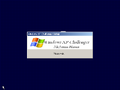
Pre-setup
-
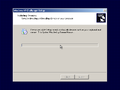
Setup in the graphical phase
-
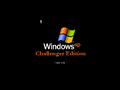
Pre-OOBE
-
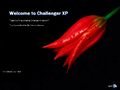
OOBE
-
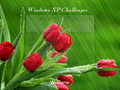
Login screen
-
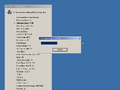
Software being installed
-
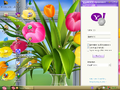
Desktop on first boot
-

Empty desktop
-

Start menu ("lotus" theme)
-
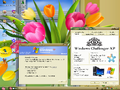
System Properties and About Windows
-
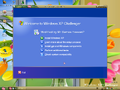
Autorun
-
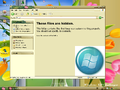
C: drive
-

Login screen - user selector


Themes
| Windows Challenger XP may have low-quality images. Theme screenshots do not have the Start menu opened when they should be. Please replace them with higher quality versions, as it would help us document this subject better with better images for them. |
-
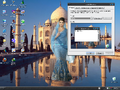
"Azenis2" theme
-
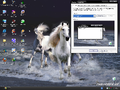
"DreamLHModz" theme
-
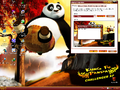
"KungFuPanda" theme
-
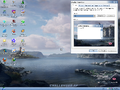
"PAL" theme
-
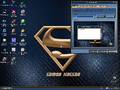
"Legends" theme
-
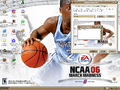
"Olympic" theme
-
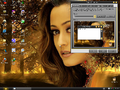
"sun" theme
-
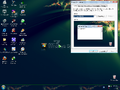
"Windows SEVEN!" theme
-
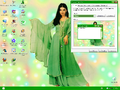
"ZXbiyao" theme


