Windows JG7 Starter Lite
 | This article or the contents of it may not meet the wiki standards. Demo portion needs splitting of windows into separate screenshots You can help the CrustyWindows Wiki immensely by expanding, rewriting or removing this article. |
| Crusty Windows bootleg | |
 The desktop of Windows JG7 Starter Lite | |
| Original OS | Windows 7 Starter SP1 |
|---|---|
| Release date | January 1, 2014 |
| Author | SROM-otnik |
| Country | Poland |
| Language(s) | Polish |
| Architecture(s) | x86 (32-bit) |
| File size | 1.2 GiB |
| Download link | Win JG7 Starter Lite.iso |
| Date added | December 7, 2022 |
Windows JG7 Starter Lite is a bootleg Windows 7 Starter SP1 edition, which was created by SROM-otnik. It released to the WindowsMX forums on January 1, 2014, and was added to the archive on December 7, 2022.
Description
The bootleg is a stripped down Windows 7 Starter ISO, with some programs included. The OS comes slipstreamed with Microsoft .NET Framework 1.0 - 3.5 by default. Some parts of the setup are unattended.
On the setup finalization portion, many programs get installed. The OS is cracked with Windows Loader on the first boot.
The ISO was made using RT 7 Lite and WinToolkit.
Changes from Windows 7
Minor changes
- The setup OS text is changed
Changes in pre-deesktop procedures
- New optional custom boot screen
- The login screen has been completely broken. It's just a black screen
Look and feel
- New default theme. It gets reset to Windows Classic on the second boot however, but you can re-enable Aero in going to
TUNING\Ustawienia Aero Glass, and running one of the 3 batch scripts - New cursor set. The arrow and busy cursors are replaced
Software
- Notepad2
- Personalization Panel (Aero Patch) 1.2.1.11
Customization Utilities
- Windows 7 Manager 4.1.6.0
Updates
- Microsoft .NET Framework 4.0, 4.5.1
- Microsoft Silverlight
- DirectX - February 2010
Notes
Bootleg quirks
- There is a folder named "TUNING" that goes dropped to the Public Desktop, which contains the following:
- "Bootscreen.exe", which will apply a custom boot screen.
- "INSTRUKCJA.jpg", which is a JPEG image which instructs you how to use the contained programs.
- "Naprawa funkcji Menu.exe" and a program called ParkControl.
- 3 programs in a folder named "INSTALKI", and a internet shortcut to the website of the program PXCViewer.
- A 4GB RAM patch in a folder named "Odblokowanie RAM", and instructions in bitmap format on how to use it.
- 3 batch scripts in a folder named "Ustawienia Aero Glass", which attempt to start the Themes service, in many different ways. These scripts are really only usable if the Aero Patch worked.
- The copyright string in cmd is changed to say "Manufactured by JG, All Rights Reserved".
- Several services have been disabled.
- The banner in winver is missing. If you move the window, everything in it will disappear. You can fix it by pressing
Alt+Spacewith the window active, and pressingEscape.
Gallery
-
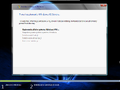
Setup while it's copying files
-
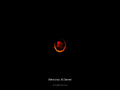
Boot screen (after patching)
-
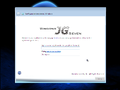
OOBE
-

Login screen
-
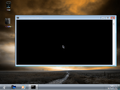
Desktop on first boot
-
Empty desktop
-
Start menu
-
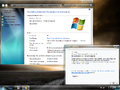
System Properties and About Windows


Themes
-
"Curved KM" theme
-
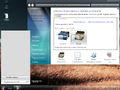
"Dream" theme

