
Windows The Avengers
 | This article or the contents of it may not meet the wiki standards. Demo portion needs splitting of windows into separate screenshots You can help the CrustyWindows Wiki immensely by expanding, rewriting or removing this article. |
| Crusty Windows bootleg | |
 The desktop of Windows The Avengers | |
| Original OS | Windows XP SP3 |
|---|---|
| Release date | September 20, 2013 |
| Author | Ayman Mohamed of thetwinsrab |
| Country | Egypt |
| Language(s) | English, Arabic |
| Architecture(s) | x86 (32-bit) |
| File size | 658.2 MiB |
| Download link | WindowsTheAvengers.iso |
| Date added | December 12, 2021 |
Windows The Avengers (also known as Windows 10 The Avengers and Windows Th E Avengers) is a bootleg Windows XP SP3 edition, which was created by Ayman Mohamed of thetwinsrab. It released on September 20, 2013, and was added to the archive on December 12, 2021. It is known for having a comically bad installer and theme, and for possibly birthing various bootleg offsprings.
Description
The bootleg is a modified Windows XP SP3 ISO. As the name suggests, the OS is themed after the Marvel movie The Avengers, specifically the 2012 film. Appropriately, the OS comes with several themes based on that movie (along with some other unrelated themes). It also comes with many new programs, and wallpapers included. Various system elements have been altered to be larger and changed to have Marvel characters. It comes with its own autorun, and WPI.
The bootleg has a WPI with extra software, like many others. It is unattended, and preactivated.
Despite the fact that the OS itself is in English, several pieces of software bundled with the OS comes in Arabic.
The ISO was made using nLite 1.4.9.1, and the autorun (including WPI) was made with AutoPlay Media Studio 8.0.7.0.
Changes from Windows XP SP3
Minor changes
- The text-mode setup OS text is changed
- The icon size has been made larger
- The Winver banner has been updated
Changes in pre-desktop procedures
- New setup graphics. The Windows XP installer has been heavily modified if not entirely replaced
- New pre-OOBE graphics
- New login graphics. Various Marvel characters are present.
Look and feel
- New default theme (really a WindowBlinds skin), wallpaper, and icon set
- 26 new themes included
- 47 new wallpapers included. The default wallpaper has been replaced with a promotional image for the Marvel movie The Avengers from 2012, slightly altered to include the author's name
- New cursor set
Software
- Media Player Classic 6.4.9.1
- Perfect Uninstaller 6.3.3.9
- Unlocker 1.8.5
- Virtual Magnifying Glass 4.0
Customization Utilities
- UberIcon 1.0.4
- WindowBlinds 5.1 (cracked)
Additional software
- Adobe Flash Player 11
- CCleaner 3.04.1389
- Google Chrome 28
- IDM 6.17 (cracked)
- QQPlayer 3.7
- Skype (in Arabic, 6.5.0.158)
- UltraISO 9.3.6.2750 (cracked)
- WinRAR 4.20 (in Arabic, cracked)
- Yahoo Messenger 11.5.0
Updates
- Microsoft .NET Framework 2.0
- Microsoft Visual C++ 2005 Redistributable
Browser Extensions and Themes
Chrome Avengers Plus
- AdBlock 2.6.4
- Calculator 1.5
- Facebook Album Browser 1.0.11
- YouTube Options 1.8.126
Notes
Remarks
- The ISO seems to have initially started development on September 5, as seen from the large chunk of updated files from the earliest time period that's not from the stock ISO. Development halted a bit on the 6th, as seen from the 2 files from that day, where THEMEUI.DLL was updated (presumably, from when the 'Patch uxtheme' option in nLite was ticked) and DEFLTWK.INF was updated (probably, related to one of the nLite options the author had modified that affected that file), but was picked up again on the 9th, as many critical system files were updated around this time. Then, followed by an 10-day period, where a grand total of 2 files (SYSDM.CPL and SHELL32.DLL) had been edited, the bootleg was finished on the 20th, as seen from the last file being modified which was WINNT.SIF.
- Some other things of note: The earliest edited file that's not from the original stock ISO is "WINNTBBU.DLL" from August 16 of the same year, where the setup graphics had been modified, and the latest edited file that's not in the root of I386 is "The Avengers programs.exe" in SVCPACK of the same folder. In it, it contains the additional software package that gets extracted to the WINDOWS directory during Setup, which is accessible from the desktop on the first boot.
Bootleg quirks
- "My Computer", "My Documents", and "My Network Places" have been renamed accordingly to have "Avengers" in them.
- There are a few known bootlegs that are forked from this one.
- Setup can take a while to install.
- There is an executable file on the desktop that gives you instructions on how to use the bootleg.
- When you open up the C: drive in Explorer, there is a custom background image present.
Gallery
-
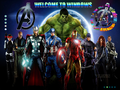
Pre-setup
-
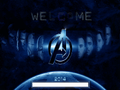
Setup in the graphical phase
-
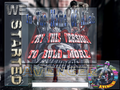
Setup in the graphical phase - First slideshow
-

Pre-OOBE
-
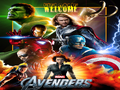
Login screen
-

Empty desktop
-
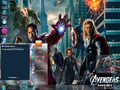
Start menu ("7 Plus" WindowBlinds skin)
-
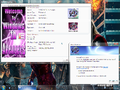
System Properties and About Windows
-
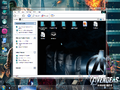
Explorer
-
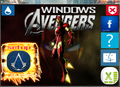
Autorun
-
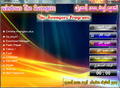
WPI


Themes
-
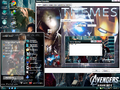
"The Avengers" theme (without WindowBlinds)
-
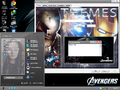
"Adele" theme
-
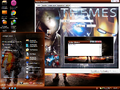
"BattleField 3" theme
-
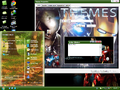
"Beauty Nature" theme
-
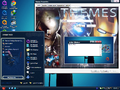
"Bocet2013" theme
-
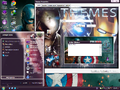
"Colors" theme
-
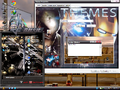
"CroosFire" theme
-
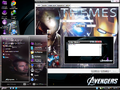
"FastFive" theme
-
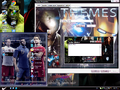
"Football Stars" theme
-
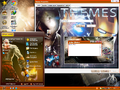
"Gad Of War" theme
-
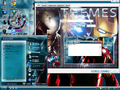
"Iron Man2" theme
-
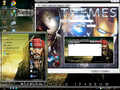
"Jack Sparrow" theme
-
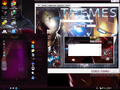
"Love" theme
-
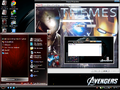
"Mac" theme
-
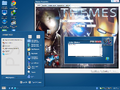
"Photoshop" theme
-
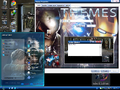
"Romantic Time" theme
-
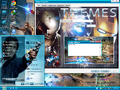
"Sherlock Holmes" theme
-
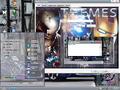
"Super Car" theme
-
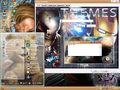
"Ted" theme
-
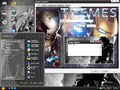
"The War" theme
-
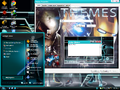
"Tron" theme
-
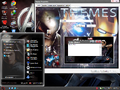
"Twilight" theme
-
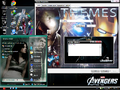
"Twilight2" theme
-
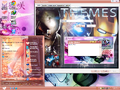
"Wedding" theme
-
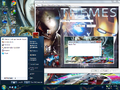
"Windows SEVEN!" theme
-
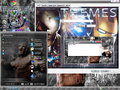
"WWE" theme


