Windows XP NeoMax 2016
 | This article or the contents of it may not meet the wiki standards. The Demo portion has overlapping windows, they should be separated into different images You can help the CrustyWindows Wiki immensely by expanding, rewriting or removing this article. |
| Crusty Windows bootleg | |
 The desktop of Windows XP NeoMax 2016 | |
| Original OS | Windows XP SP3 |
|---|---|
| Release date | August 13, 2016 |
| Author | D.M Samanta, and tomeCar of TeamOS |
| Language(s) | English |
| Architecture(s) | x86 (32-bit) |
| File size | 326.6 MiB |
| Download link | Windows Xp NeoMax 2016 by tomeCar (TeamOS).iso |
| Date added | December 12, 2021 |
Windows XP NeoMax 2016 is a bootleg Windows XP SP3 edition, which was created for TeamOS by D.M Samanta and tomeCar. It released on August 13, 2016, and was added to the archive on December 12, 2021.
Description
The bootleg is a modified Windows XP SP3 ISO with DriverPacks BASE 10.06 integrated. Its primary focus is to give the OS the Windows Vista (beta) look, and comes with one theme: a Windows 7 one. It comes included with all Windows XP (including its POSReady variant) updates, up to July 2016. It comes with registry tweaks. It is preactivated.
The ISO was made using nLite 1.4.9.3, on Windows 7 RTM.
Changes from Windows XP SP3
Minor changes
- The Winver branding is changed
- OEM branding is included
Changes in pre-desktop procedures
- New setup graphics. The slideshow text contents have been edited
- New boot screen
- New login graphics
Look and feel
- New default theme, and wallpaper
- 1 new theme included
- 16 new cursor sets included
- New avatar set
Software
Updates
- DirectX - June 2010
Notes
Bootleg quirks
- In the System Properties where it says "Powered by...", it is supposed to be "Powered by DMS & Tomecar", but due to a quirk with Windows, it instead says "Powered by DMS _ Tomecar". The ampersand is used for menu access keys. In order for it to be displayed properly, the author would have had to escape it by writing a double ampersand. It would then be interpreted as just a regular ampersand. Windows XP Extreme Gamers Edition also has this error.
Gallery
-
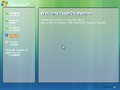
Setup in the graphical phase
-
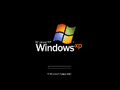
Boot screen
-

Login screen
-
Desktop on first boot
-

Empty desktop
-
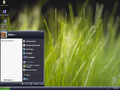
Start menu ("VistaXP" theme)
-
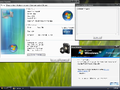
System Properties and About Windows


Themes
-
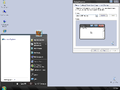
"WindowsXPClearDark" theme
